Jaimy Heijstee
Product Marketing Manager


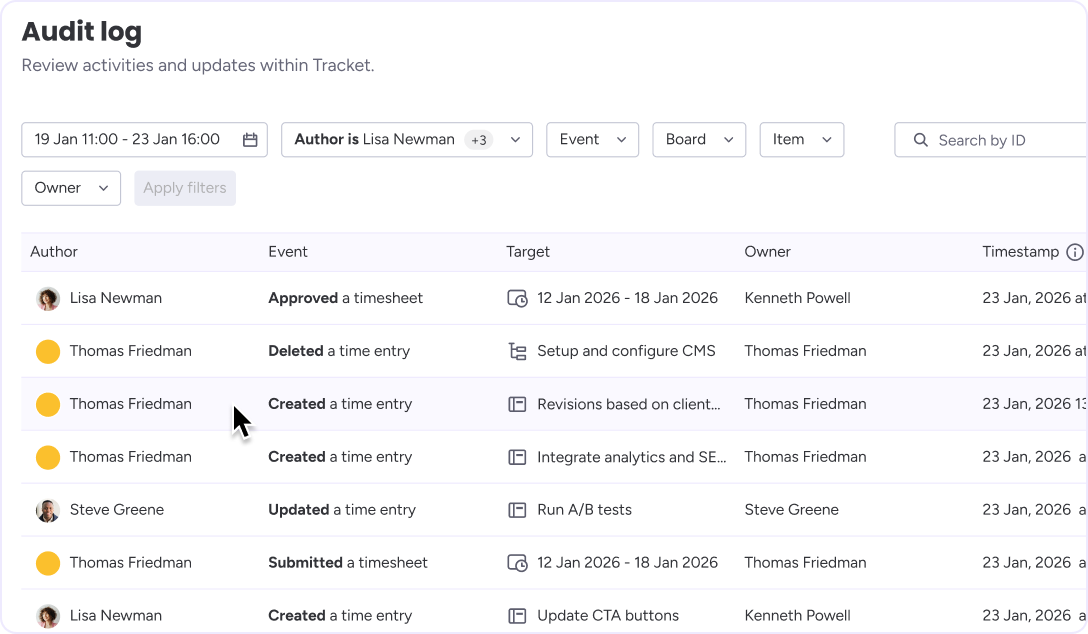
Having a clean audit trail is essential to managing time tracking and approvals for transparency and accountability. The Audit Log enables administrators to trace changes, identify the responsible parties and determine the timing of modifications. All relevant actions are recorded and accessible in a central location.
As teams grow, so does the complexity of time tracking. Hours are created, edited, approved, rejected, and sometimes even deleted. Without a proper record, resolving questions like “Why did these hours change?” or “Who approved this timesheet?” can be time-consuming and frustrating.
The Audit Log solves this by providing a complete, chronological record of all time entry and timesheet activity in Tracket.
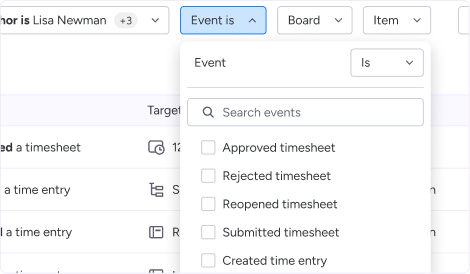
The Audit Log captures all key actions related to time tracking, including:
For every event, Tracket records:
This ensures you always have the full context behind any change.
Read the full Audit Log documentation.


Avisi Apps B.V.
Nieuwe Stationsstraat 10
6811 KS Arnhem
KvK: 76632490
BTW: NL860713659B01


.svg)
.svg)


We use cookies on our website to enhance your browsing experience. Some of them are essential, others are optional. Because we respect your right to privacy, you can choose not to allow personalized cookies. Learn more
Functional cookies